2
2
2
Uno Scoring App
iOS Application
Year:
2026
Type:
Personal
Focus:
Development
Collaboration:
-
Leaderboard
Custom Numpad & Score Input
The Challenge
During Uno card sessions with friends, scorekeeping was handled manually on paper by one of my frends. After each round, we calculated our remaining cards in hand and one of the friends (Thanks Erika!) made a spreadsheet on a piece of paper and summed the scores. While the game itself moved quickly, this scoring process consistently slowed everything down.
Everyone paused while calculations were made. The scorekeeper carried the cognitive load, often stepping out of the conversation and occasionally making human mistakes. Over 30–40 rounds per session, this repeated interruption became a structural point of friction affecting both pace and group dynamics.
Player statistics
Session history per player
Context & Position
This started as a personal project and ended up becoming my first iOS app. I had never used Xcode before, so I began by figuring out the structure and interaction in Figma, then moved into development and learned the platform as I built.
I made it only for iOS because all my friends use iPhones, which let me work inside an ecosystem I already understood. Visually, I did’t want to lean into Uno’s playful style. Instead I adopted the more minimal aesthetic, with an interface influenced by Apple’s more recent liquid glass direction.
What started as a small experiment turned into a working beta app that we actually used during game nights. That mattered a lot. It meant the app was shaped through real use, not just through what I assumed would work.
Working beta application on my iPhone
Design Thinking & Decisions
The main idea was simple: make the important stuff obvious straight away, and make score entry feel as frictionless as possible.
The first version tried to do too much on one screen. Creating players, adding them to a session, and entering scores all lived in the same place, which made the whole thing feel cluttered. Splitting those actions into separate screens added a little more navigation, but it made each step clearer and easier to handle.
The leaderboard ranks players in descending order, shows their position clearly, and displays the score gap between them, so nobody has to compare totals in their head.
To keep things moving between rounds, I added a custom numeric keypad. It lets you enter scores quickly in seating order and includes simple controls for moving between players. That small change did a lot for the rhythm of the game.
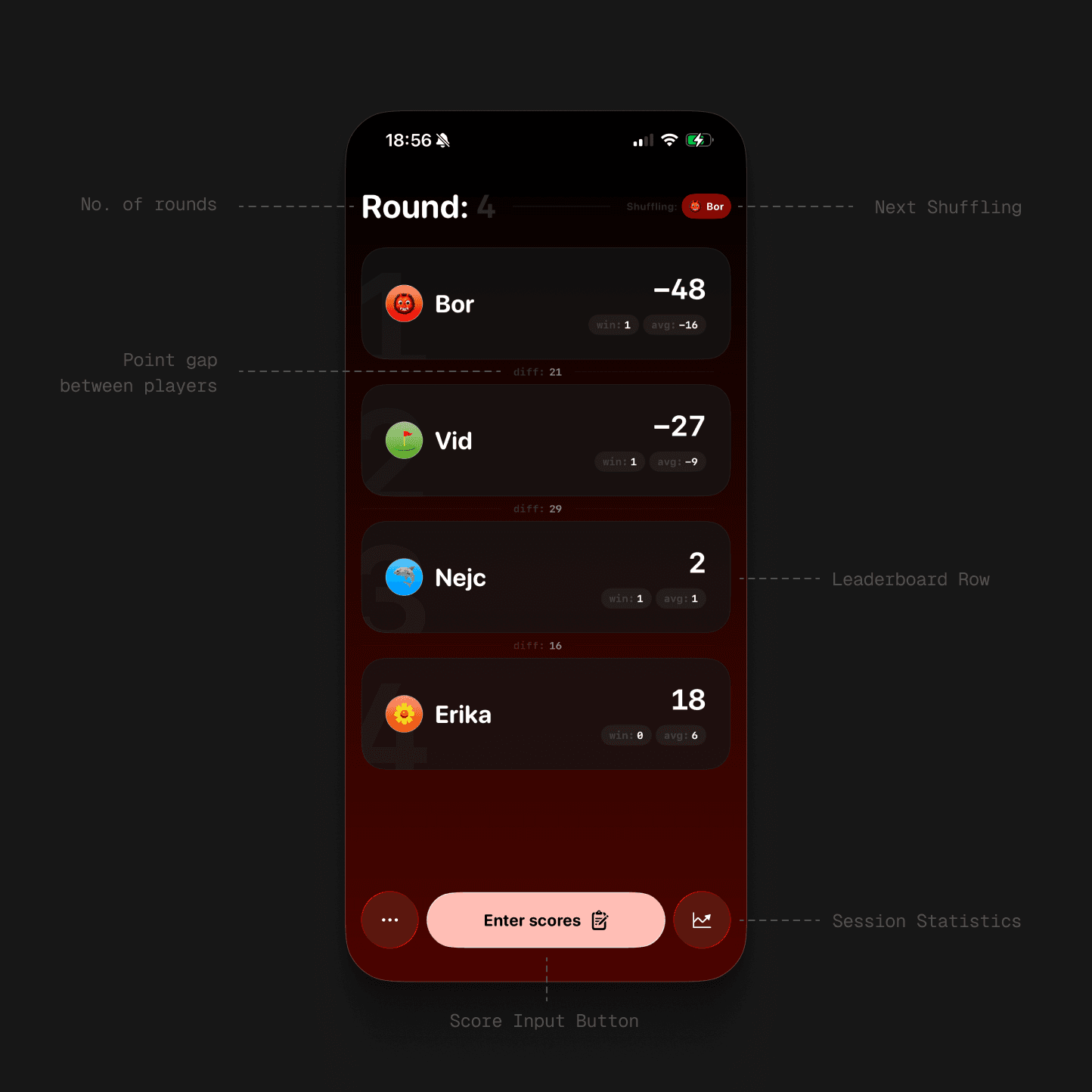
Leaderboard
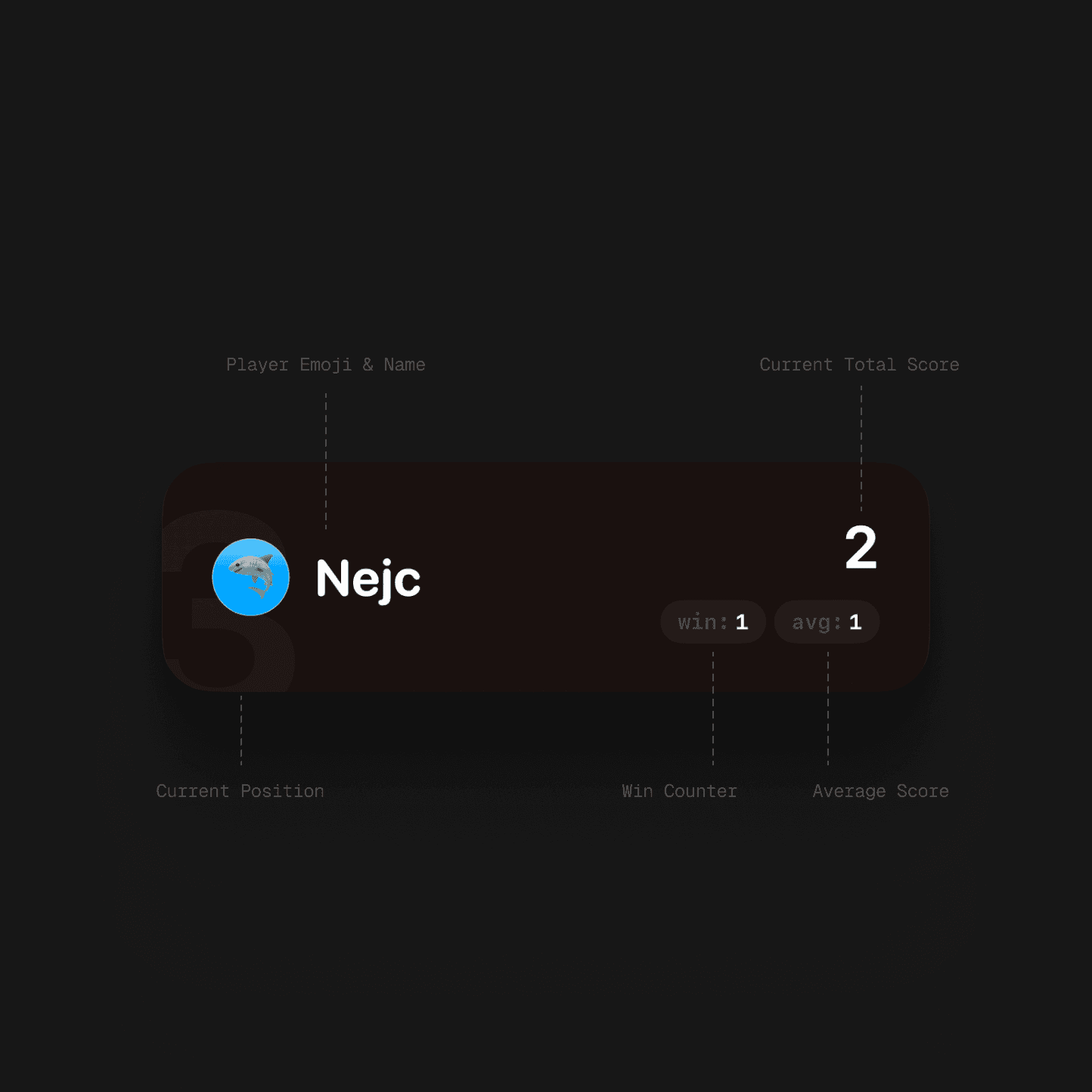
Leaderboard Row
Iteration & System Expansion
Early testing was useful mostly because it showed me where I was wrong. The interface felt obvious to me, but once I handed the phone to other people, it became clear that some labels were not clear enough, some copy needed rework, and the leaderboard was trying to say too much.
I ended up stripping it back. Secondary stats were removed so the focus stayed on position and total score. Typography and colour were adjusted to strengthen the hierarchy and make the screen easier to read during play.
As friends started getting curious about their longer-term results, I added session history and player statistics. Those live in a sheet accessible from the leaderboard, which let the app expand without cluttering the main game screen.
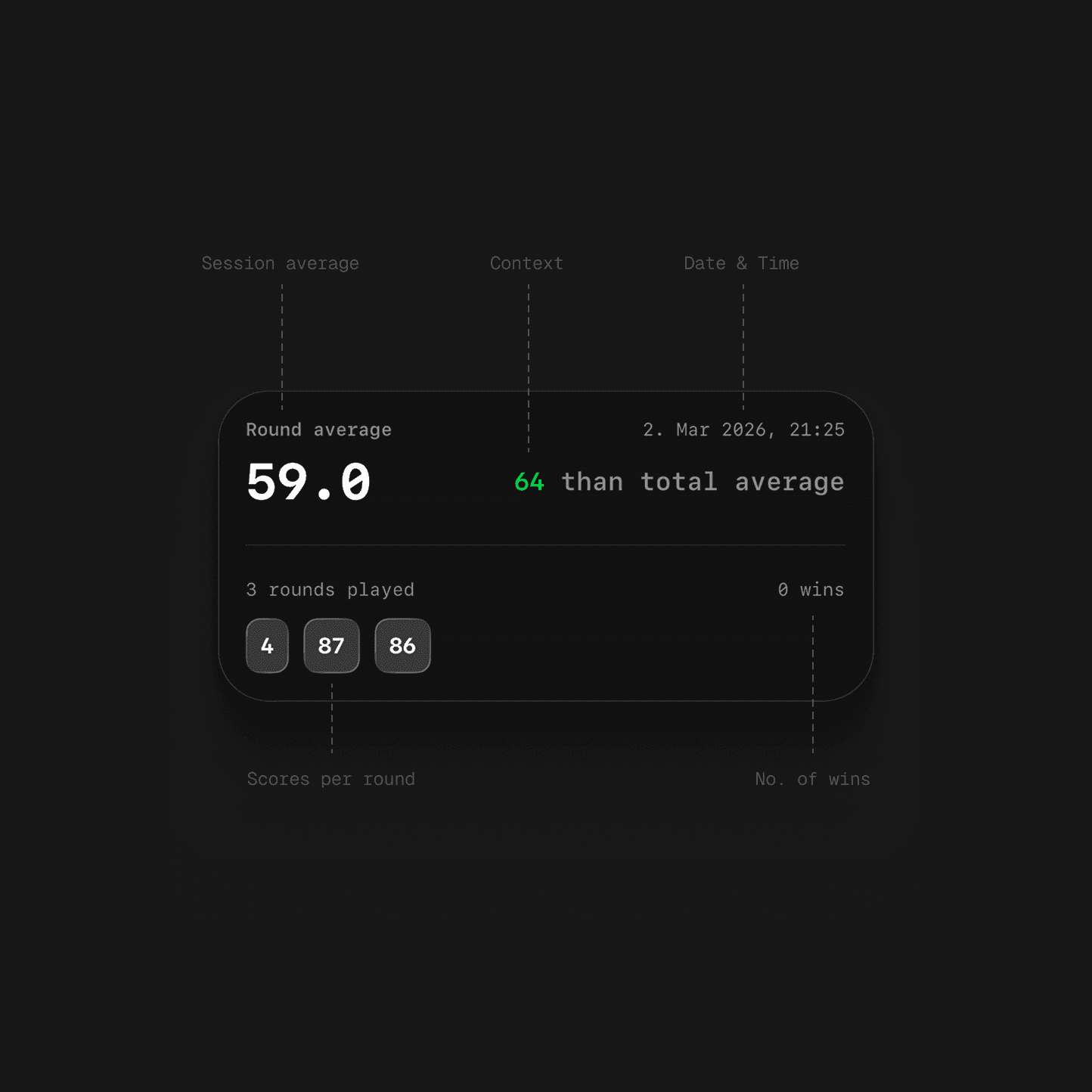
Session history per player
Player statistics
Outcome & Reflection
The app noticeably improved the pace of the game. Entering scores became quick enough that it stopped feeling like a separate task, which meant the game and the conversation could keep moving.
It also made the game more competitive, because the leaderboard was always visible and updating live, people paid more attention to where they stood and got more invested in catching up.
Moving forward with the project, I would spend less time on the interface and more on the system behind it. Right now everything is stored locally on one phone. Adding a backend with persistent player profiles across devices would make the whole thing feel more complete and give sessions more continuity.